Google Business Profile Setup Guide for Small Business
A field-by-field setup guide, plus a free builder that writes your profile description and tracks how complete your listing really is.
Profile description builder
Fill it in for a paste-ready description, plus a check on what your listing still needs.
Your description
Your business is a local service provider based in your suburb. We work with local homes and businesses, turn up when we say we will, and explain the options before any work starts. We serve the local area and the surrounding suburbs. Call your phone number or visit your website for a quote.
292/750 characters
Completeness
0%It is free, and most of your competitors still have not done it
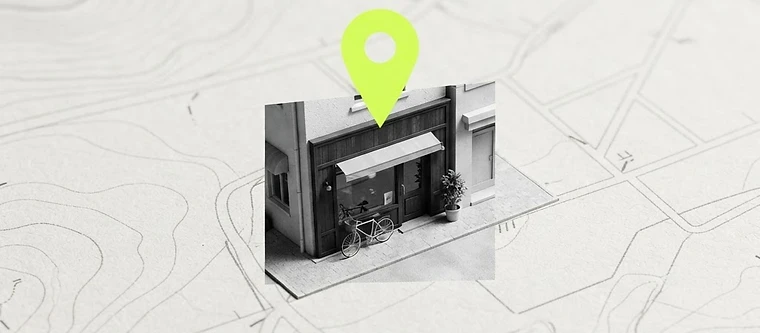
A Google Business Profile is the panel that appears when someone searches your business name, or a phrase like "plumber near me". It shows your hours, phone, reviews and photos. It is free. It is also, according to BrightLocal's 2025 survey, claimed by only about a third of small businesses.
If you do one marketing task this month, do this one. It is the highest return per hour of anything a local business can do.
The order matters
Most people start with photos and wonder why nothing happens. The order that works is: identity, category, area, then proof.
- Name. Your real trading name. Do not stuff keywords in — "Joe's Plumbing Brisbane Best Plumber" gets suspended.
- Category. The primary category is the strongest ranking signal in the profile. Pick the one customers search, not the one that sounds impressive. You can add secondary categories later.
- Service area. If you travel to customers, list the suburbs you genuinely serve. Do not list the whole state.
- Hours. Including whether you take emergency calls after hours. Wrong hours lose more customers than a bad website.
- Description. 750 characters. Say what you do, who for, where, and what makes you different — in plain language, no slogans.
- Services and products. Add each one with a short description. These feed both the profile and AI answers.
- Photos. Real ones: your team, your van, your workspace, finished jobs. Ten or more, refreshed regularly.
- Reviews. Ask every happy customer on the day you finish the job. Reply to all of them.
One thing nobody tells you
Your profile is not a separate channel — it is the anchor for everything else. The name, address and phone on your profile should match your website footer and every directory exactly. When they match, Google trusts the information. When they differ, you compete with yourself. Same principle now applies to AI answers, which lean heavily on consistent business data.
What "complete" actually looks like
A complete profile is not 100% on Google's own meter — that meter rewards things like adding a logo twice. Complete means: verified, correct primary category, real service area, accurate hours, a written description, every service listed, at least ten recent photos, a steady flow of reviews with replies, and a post in the last month.
Use the builder above
Fill in your details and it will draft a description you can paste straight in (edit it so it sounds like you), plus a checklist showing which parts of your profile still need work. It runs in your browser — nothing is sent anywhere.
Real-world examples
Stories and data from news, business media and industry research, with sources linked.
Fake one-star reviews flooded a small business after a TV appearance
SmartCompany reported a bespoke cellar business was hit by fake one-star Google reviews and Facebook comments from strangers after appearing on The Block — a reminder that your online reputation needs active management.
SmartCompany ↗
76% of "near me" searchers visit a business within a day
Google data shows 76% of people who search "near me" visit a business within the next day, and 88% of smartphone local searches lead to a store visit.
Google (Think with Google) ↗
Just 35% of small businesses have a Google Business Profile
BrightLocal’s 2025 SMB Marketing Report found only 35% of small businesses have a Google Business Profile — a big advantage for the businesses that do.
BrightLocal ↗
How to apply this to your business
- 1Complete and verify your Google Business Profile — hours, photos, services, service area.
- 2Add click-to-call and make your phone number visible without scrolling.
- 3List the suburbs and areas you serve, on their own pages.
- 4Ask for reviews and respond to every single one.
The style lab
Pick a vibe. We’ll build around it.
Scroll through the styles below, see which one feels like your brand, and tap to choose. It’s just a starting point for your mockup.
Your free mockup
Let’s design your site
Fill this in and we’ll build a free mockup of your new website. No payment, no contract — just a real preview of what your site could look like.
Free, no upfront payment
No obligation to continue
Reply within 1–2 business days